Retrofitting a flip RAZR with a BlackBerry keyboard, built on a donor Motorola Razr Plus. The page follows the build in order, from the first sketches to requirements, parts, software and the body design.
Initial designs, from the BOOX sketchbook
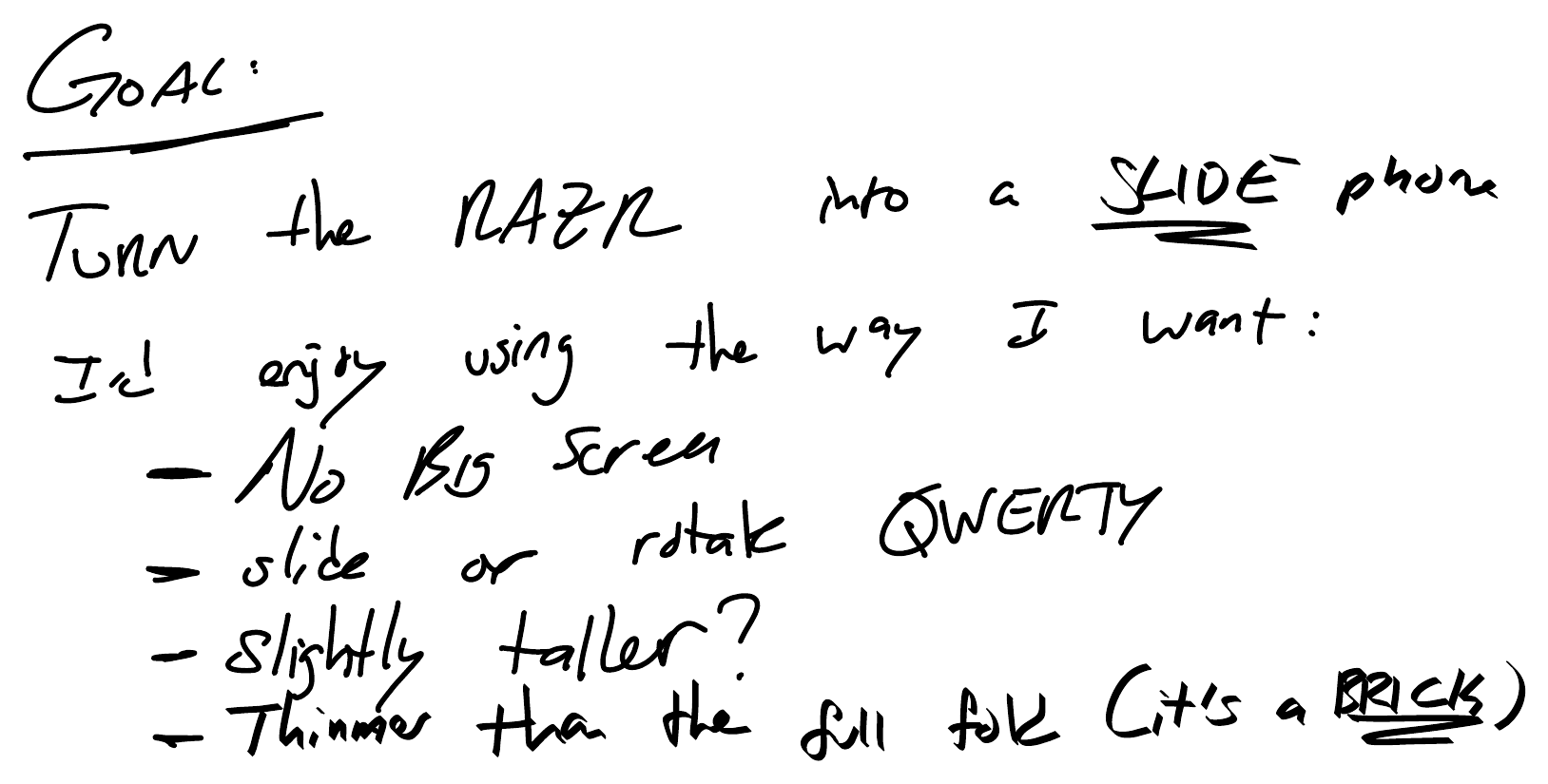
Goal. Turn the Razr into a slide phone: no big screen, a slide or rotate QWERTY, slightly taller, and thinner than the full fold.
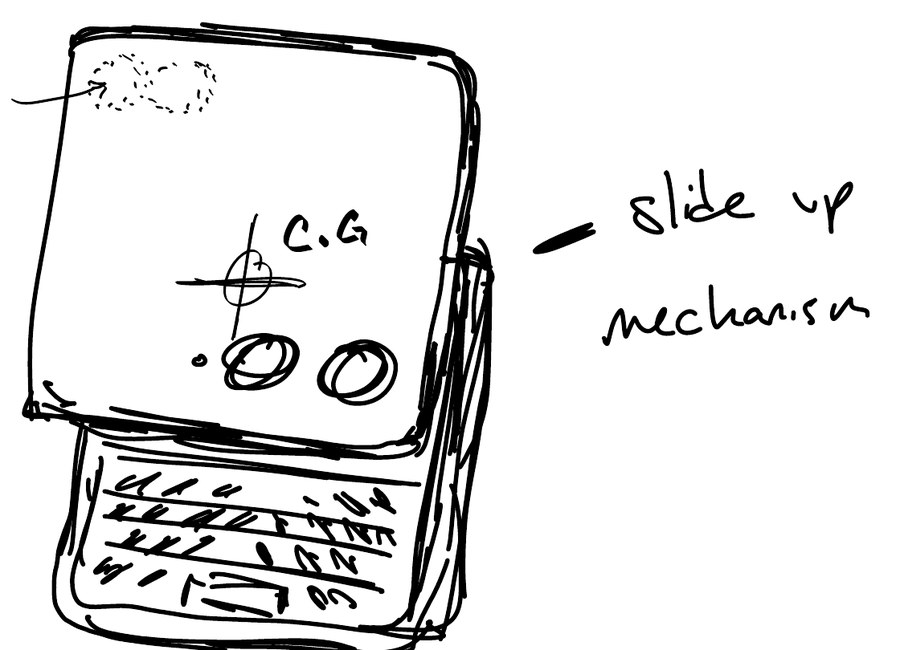
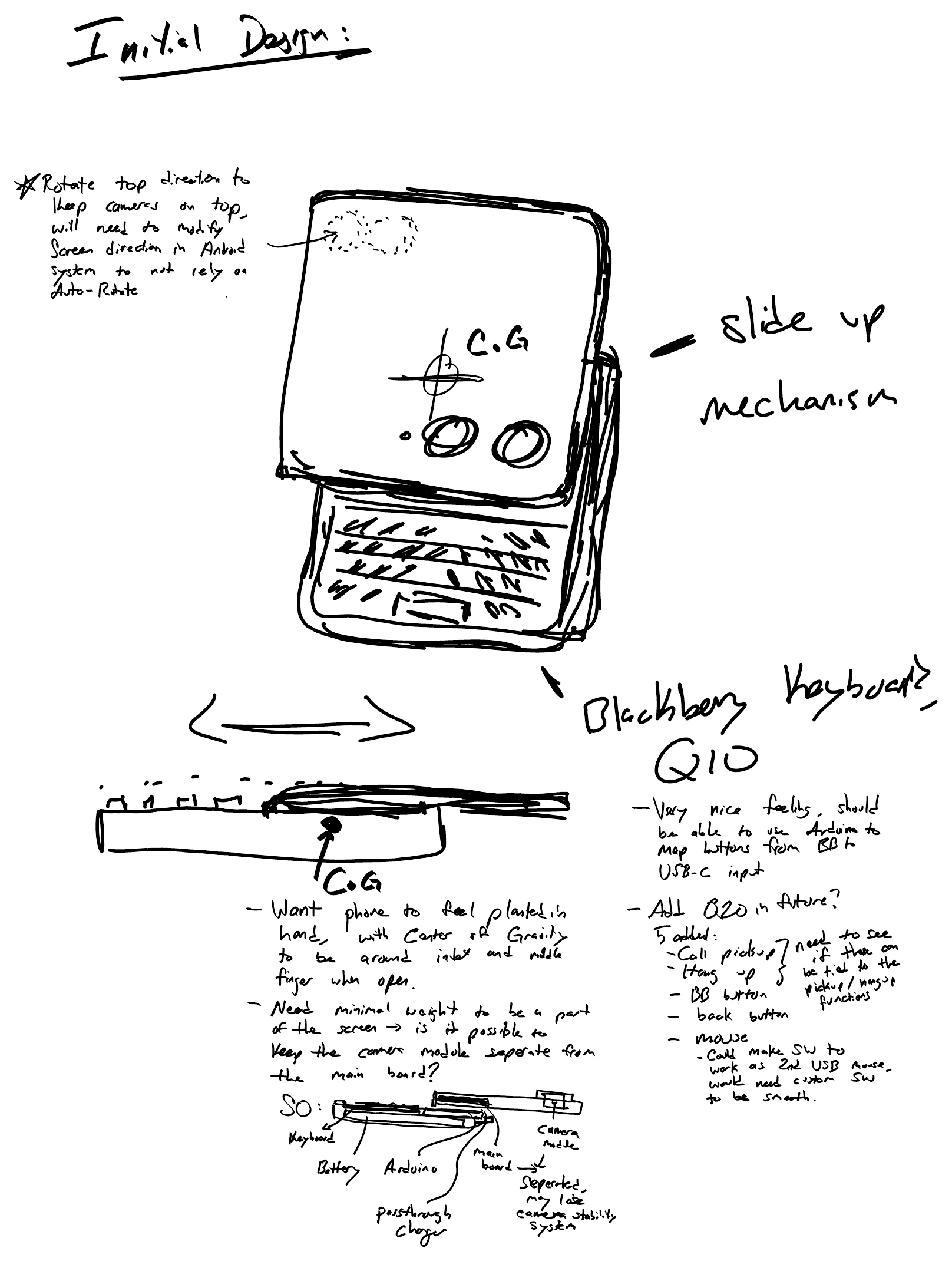
Initial design. A slide-up mechanism with the Q10 keyboard under the screen. Notes cover the center of gravity, keeping the camera module separate from the main board, and the internal stack-up.
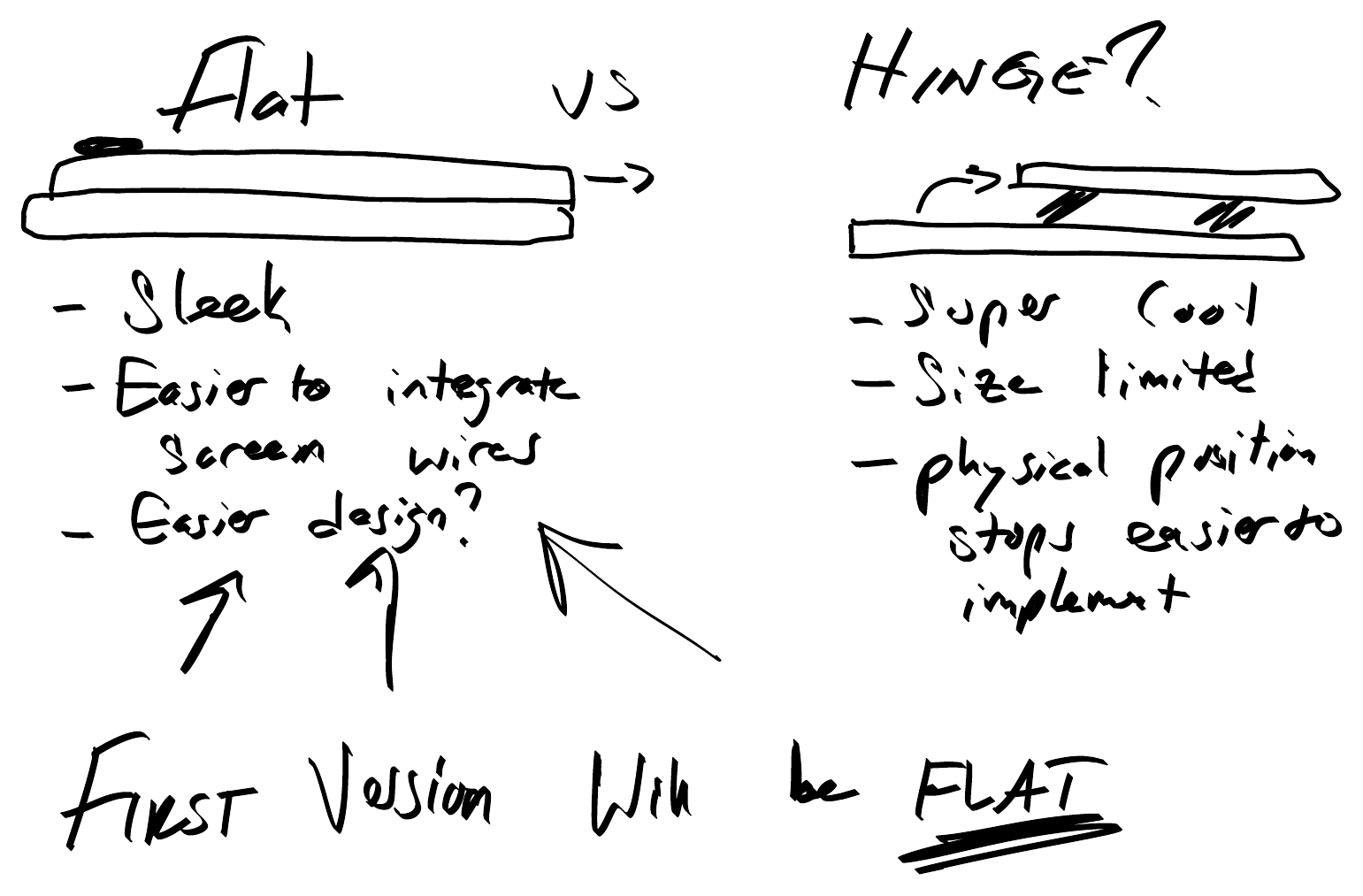
Flat or hinge. Flat is sleeker and easier for the screen wires. A hinge is limited by size. The first version will be flat.
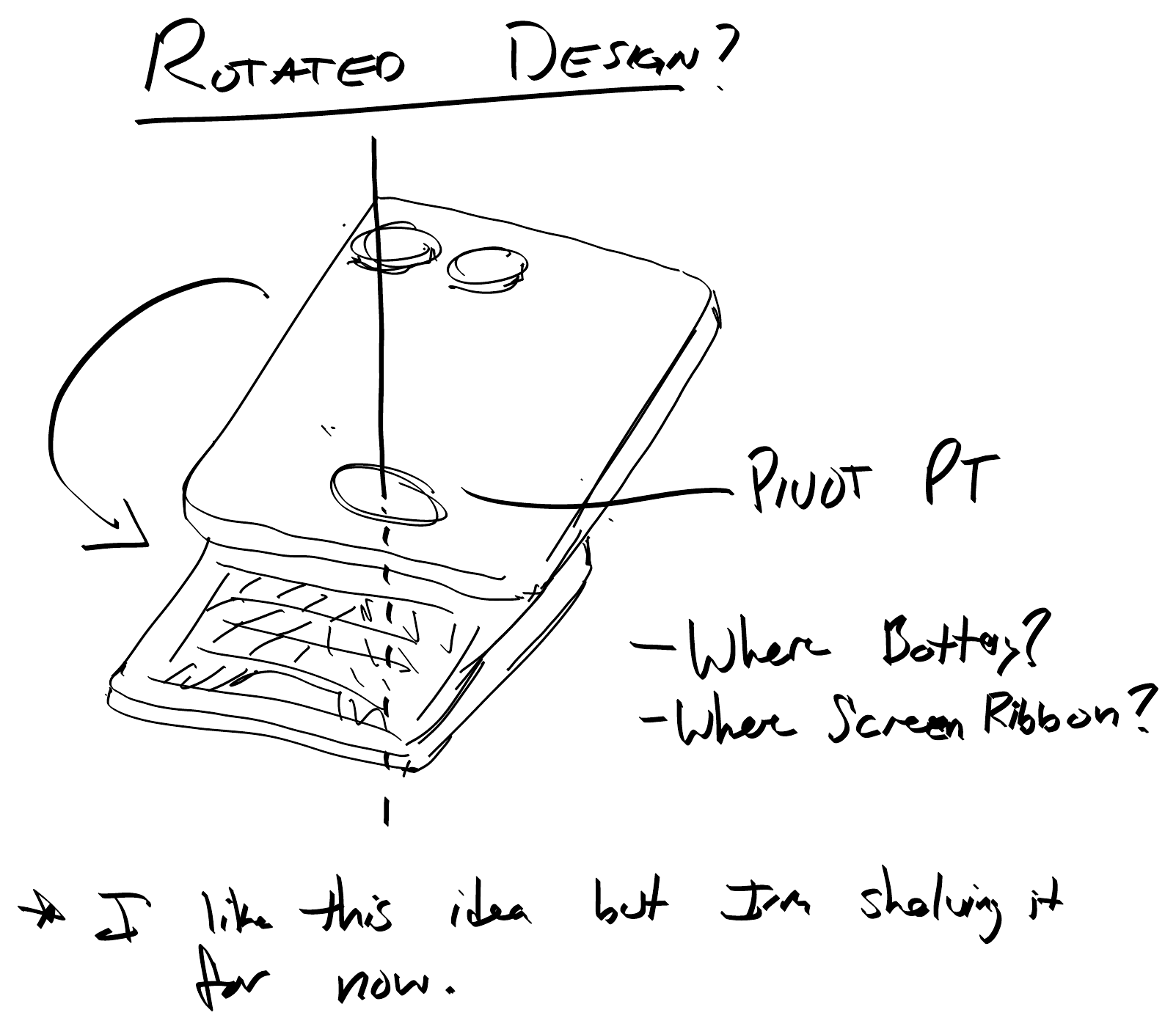
Rotated design. A pivot-point idea with open questions about the battery and screen ribbon. Shelved for now.
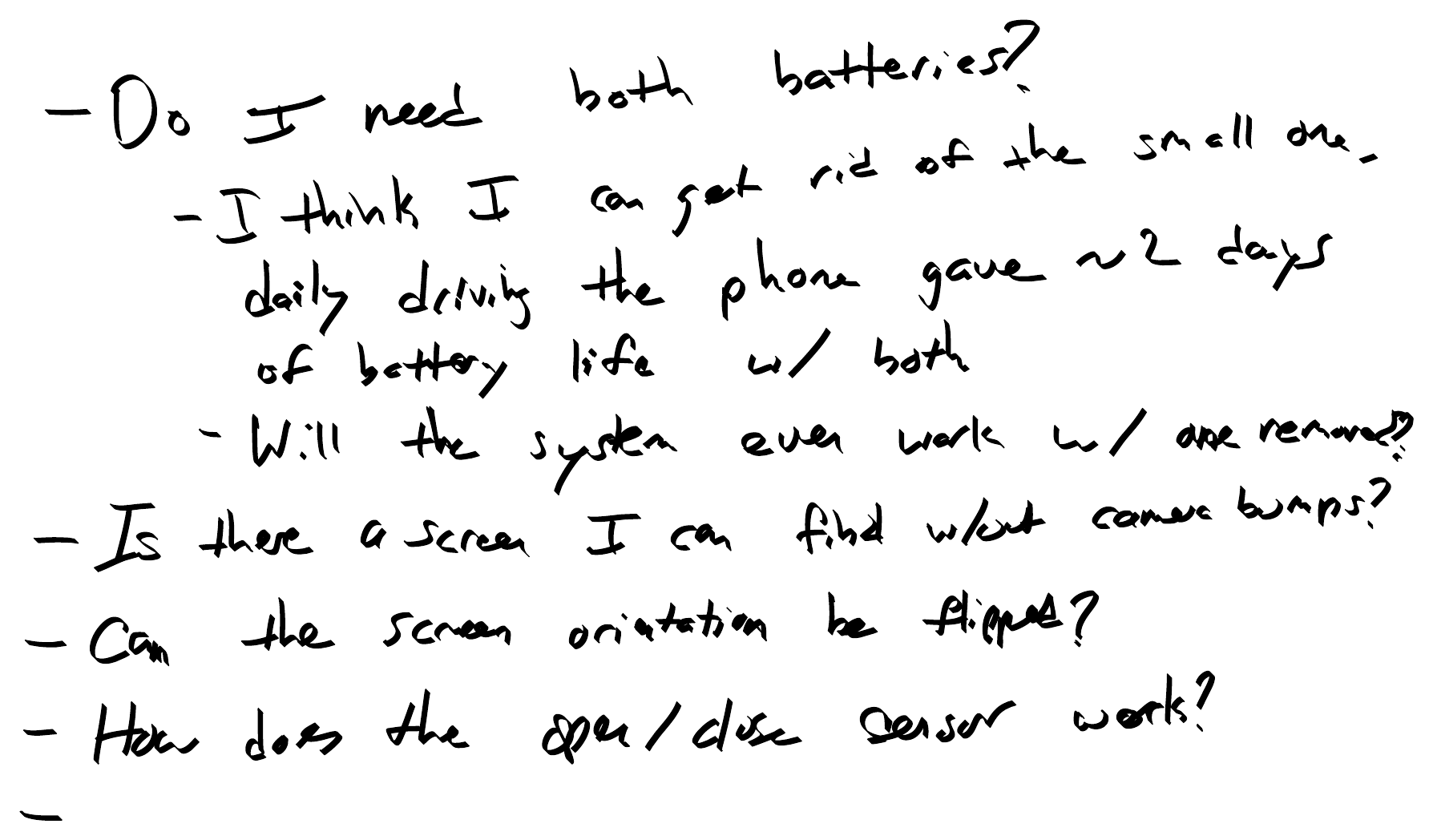
Open questions. Whether both batteries are needed, finding a screen without camera bumps, flipping the screen orientation, and how the open and close sensor works.
Donor phone
Motorola RAZR Plus 5G (2025), bought with a broken inner screen
Keyboard
BlackBerry Q10
Parts cost so far
$135.80
Status
Body design V3 in progress
Chapter 1
The idea
Make a modern QWERTY keyboard device that slides out. It keeps a small screen and modern hardware, and uses BlackBerry keyboards because they felt good to type on.
Small screen, modern internals.
BlackBerry keyboard feel.
3D printed for now, with a walnut and green aluminum finish under consideration.
Decisions from the sketches
Flat first
The first version is a flat slider. It is sleeker and makes the screen wiring easier. A hinge would be limited by size, but its physical stops would be easier to implement.
Balance
The phone should feel planted in the hand, with the center of gravity around the index and middle fingers when open. That means keeping minimal weight in the screen section and, if possible, the camera module separate from the main board.
Keyboard
The Q10 feels very nice to type on. An Arduino can map its buttons to a USB-C input. The Q20 is a possible future option, along with call pickup, hang up, a BB button, a back button and a mouse.
The reference: BlackBerry Priv
What it gets right
The screen simply slides up, with no complex hinge.
The body stays compact, close to the thickness of a normal phone.
A lip under the screen makes it easy to flick open.
Mechanism concept
A large tray slides down, so the outer part is essentially just the screen.
Two guide rails run along the outer edges, with the inner tray riding inside the limits the outer tray sets.
Magnetic stop points give a clean click at each end of travel.
Two design requirements drive the build. The constraints below come from the donor phone and shape how each requirement can be met.
Requirements
R1Test the Razr as a main phone in the flipped orientation, to confirm it works well.
R2Keep the total thickness of the outer screen plus keyboard below the original flip's width.
R3Use the BlackBerry Q10 keyboard, whose width fits the Razr. Extra buttons and the mouse roller wait for revision 2.
Constraints
C1The SIM card holder is built into the main board with all buttons (volume, power), so these stay together.
C2The camera pop-out is tied to the screen, so it faces forward for the first iteration.
C3The screen's rounded edges are on the bottom, so there is no clean edge for the lip.
C4The keyboard passes USB-C through, so the extra connector can be routed anywhere. The speaker and charging board do not constrain the layout.
Open questions against the requirements
Can the screen be flipped as the default orientation using the SDK? (R1)
Can the original screen be sourced without the camera humps? (C2)
Are both batteries needed? Daily driving gave about two days of battery life with both, so the small one may be removable, if the system still works without it.
How does the open and close sensor work?
Chapter 3
The donor phone
The development phone is a test unit, called the mule. It was bought broken on purpose to keep cost down.
Sourcing requirements
Inner screen broken but still technically functional.
Before drawing anything, the phone was taken apart and photographed in sections to understand the stack and the ribbon routing.
Photo to add: upper halfPhoto to add: lower halfPhoto to add: main boardPhoto to add: case and folding screenPhoto to add: ribbons and hinge piecesPhoto to add: the phone, sectioned
With the inner screen removed, the phone has to run entirely on the outer screen. By default, Android on the Razr blocks many apps there.
The restriction
Some system apps and options, such as Settings, do not run on the outer screen. There is no native option to disable this and let every app use the outer screen only.
The approach
The CLI manager (Cover Layer Interface) is how Motorola defines what can and cannot run on the outer screen. A few apps are forced to stay blocked, but this looked like the easiest route.
Steps, in order
1
Connect over ADB
Install Android Platform Tools and the Motorola USB driver, then confirm the phone shows up as a device from the command prompt.
2
Check the current state
Ask the CLI manager whether all apps are allowed on the outer screen. It reports false, and lists the packages on the deny list and the allow list.
3
Allow everything
Set allow-all to true, then check it. The command reports true.
4
Allow specific system apps
Allow individual packages that need it, including Settings, the dialer, phone, contacts, Play Store, Chrome, Files, Maps, Photos and Messages.
5
Allow every user-installed app
Loop over the list of third-party packages and allow each. The user-set allow list grew from about 12 packages to about 45.
6
Check it survives a restart
The concern was that the changes would reset on reboot. A restart did not require reflashing, so the settings held.
7
Package it as a script
All commands are compiled into a .bat file that runs directly in the command prompt, so everything can be reapplied quickly after a reset.
Key commands
:: check, then allow all apps on the outer screen
adb shell cmd climanager is-allow-all-oncli
adb shell cmd climanager set-allow-all-oncli true

:: allow one system app by package name
adb shell cmd climanager set-pkg-allowed-oncli com.android.settings true

:: allow every user-installed app
for /f "tokens=2 delims=:" %P in ('adb shell pm list packages -3') do adb shell cmd climanager set-pkg-allowed-oncli %P true
Result
The outer screen limitations are removed, apart from a few that cannot be changed.
USB-C female breakout boards$6.35For the charging side · source
USB-C male breakout boards$6.88For connecting to the phone · source
Total$135.80
Chapter 8
Recovery and references
Changing how the phone behaves carries some risk of bricking it, so there is a recovery path, and there are similar builds to learn from.
Recovery plan
If the phone will not boot, restore it with Motorola's software fix and rescue tool. Hardware-button bootloader access is the fallback if ADB cannot reach it.
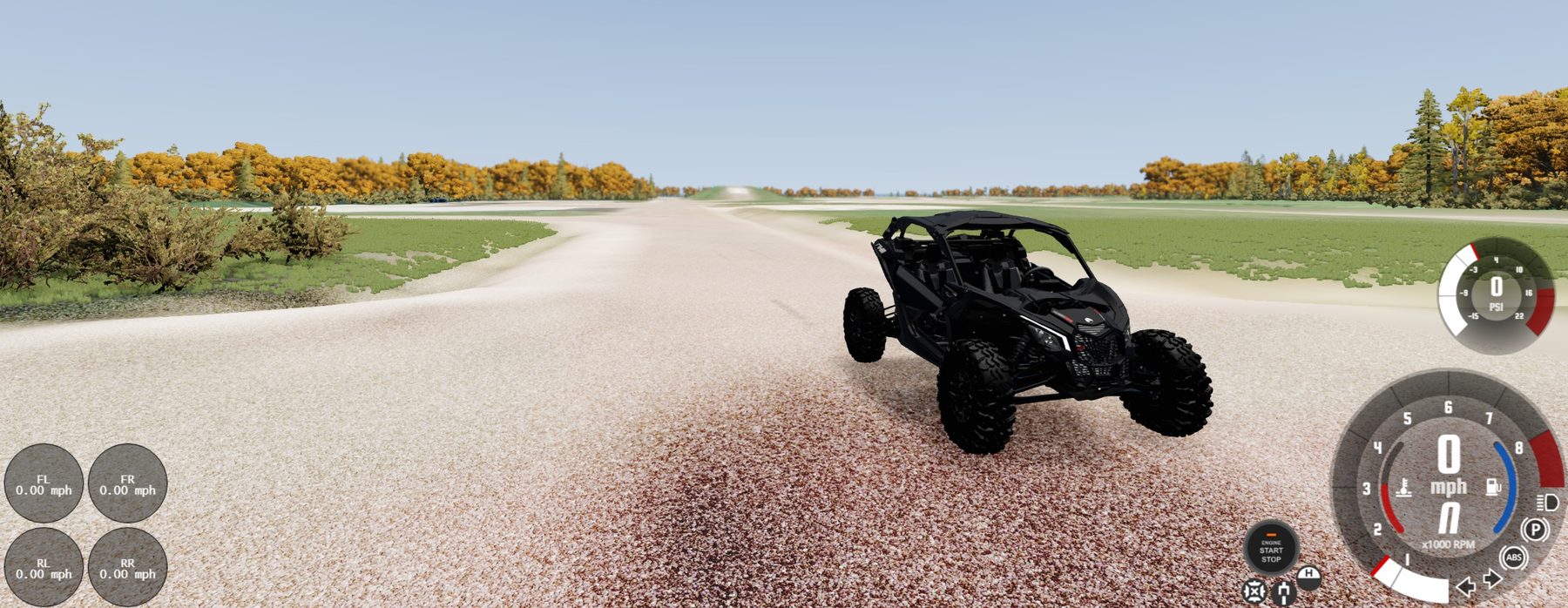
A custom track built for BeamNG, as a first step toward a driver-in-the-loop setup with a real ESP brake system. The page follows the work in order, from requirements and map data to textures, spawns, missions and the integration plan.
Type
Simulation environment
Tools
BeamNG, MapNG, PBR Forge, MS Paint
Current focus
Roads, decals, and friction by surface
Status
Map in progress, missions next
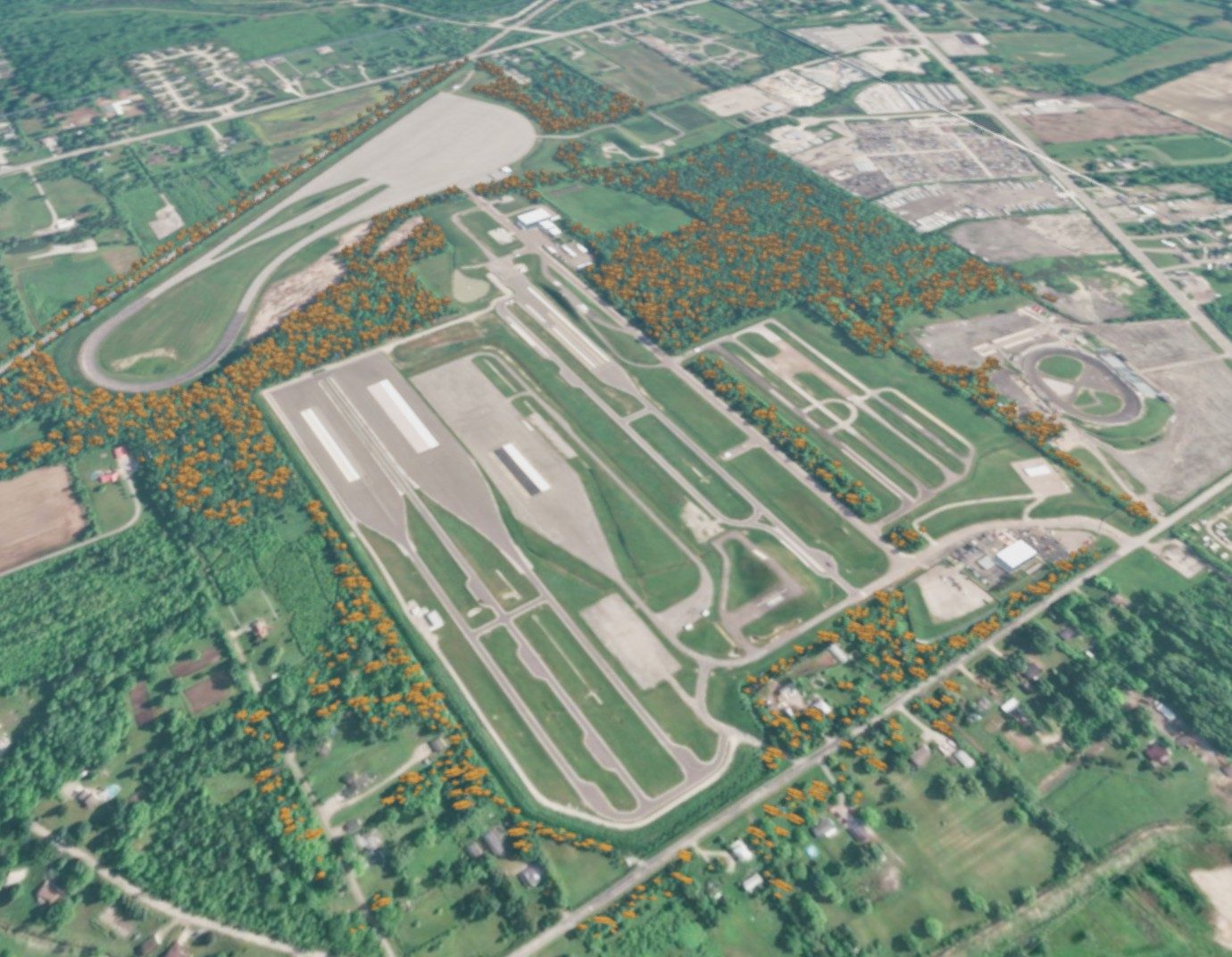
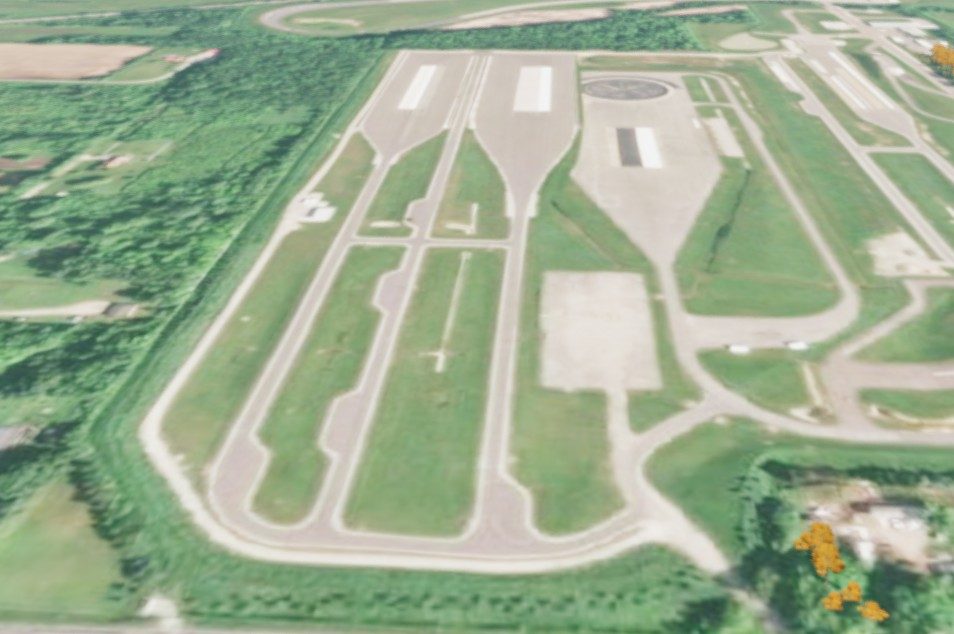
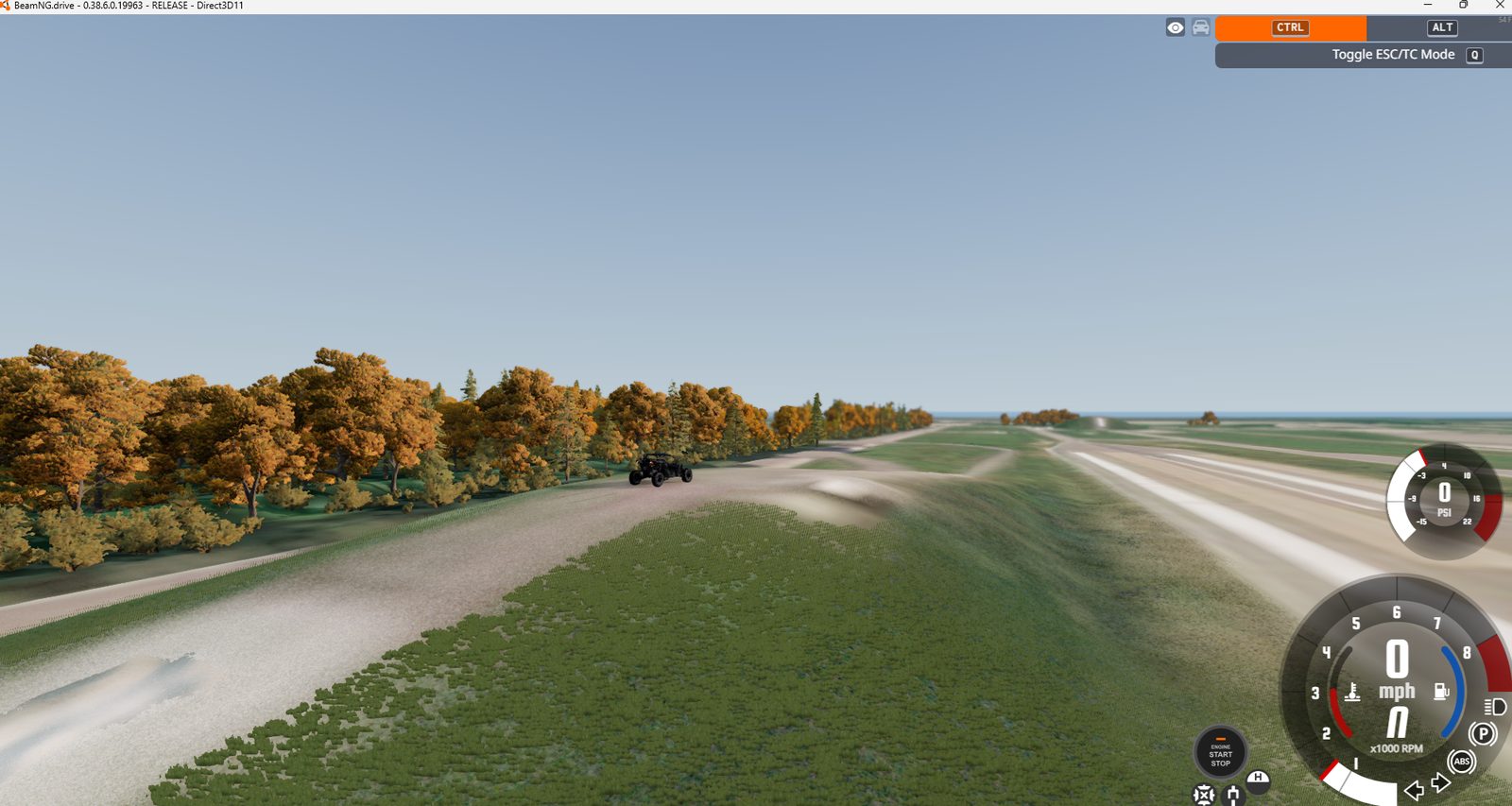
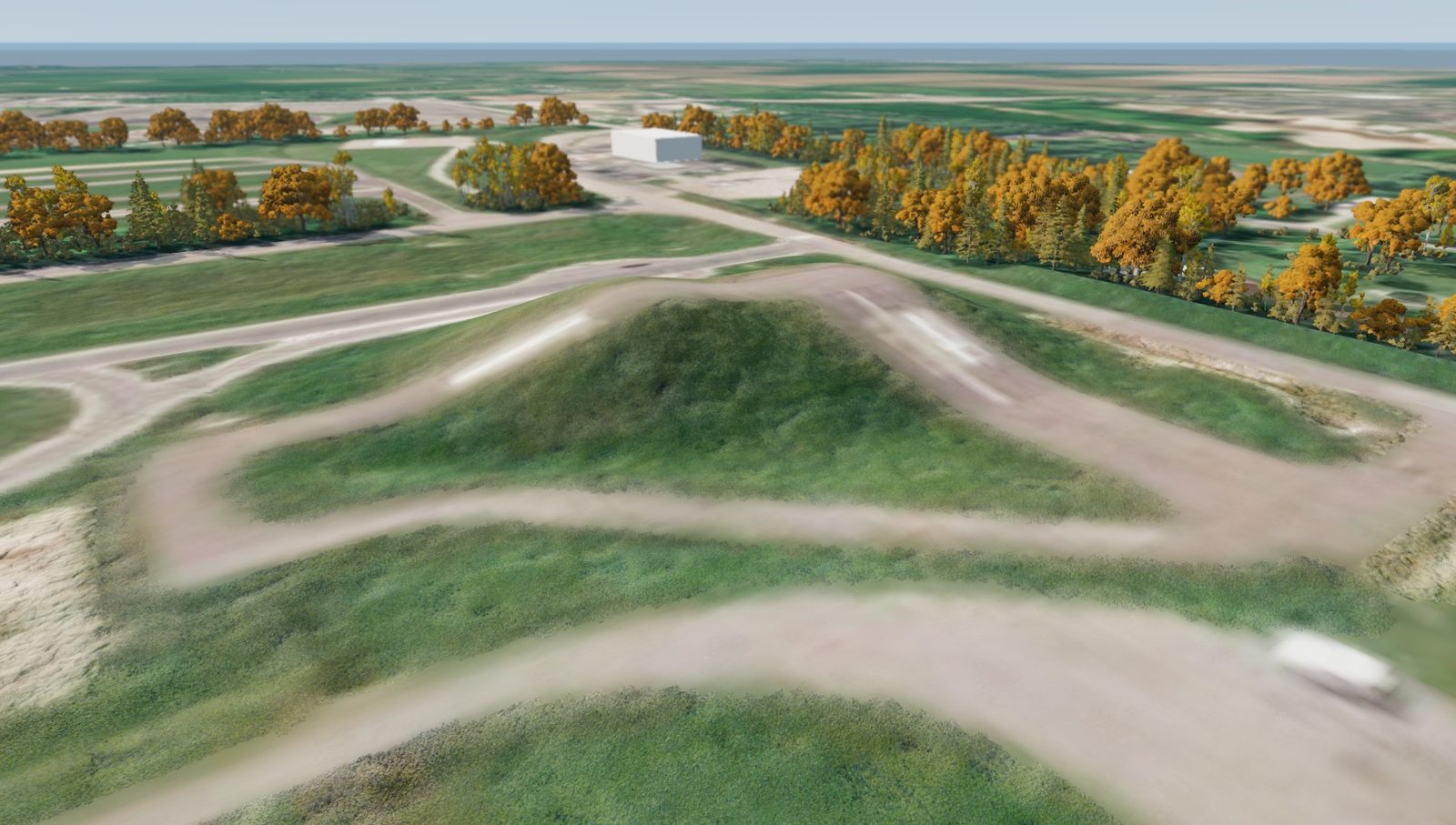
Main overview. The Flat Rock map in BeamNG.Main overview, closer. The test pads and roads.
Chapter 1
Requirements
The near-term requirement is to learn how BeamNG levels and mods are made. The longer-term requirement is a driver-in-the-loop system that uses a real ESP brake system.
Learning requirements
R1Understand how game levels are made, and how that workflow compares to CAD and Blender.
R2Understand the texture pipeline.
R3Judge how realistic the physics are. The soft-body model is detailed and the tire model is being updated.
R4Make the result useful as a demonstration at work.
System requirements
S1A driver-in-the-loop system that integrates a real ESP brake system.
S2A way to calibrate the model or the ESP from the simulation.
The first question was where to get real-world terrain. The open question was whether the resolution would be good enough to drive on, or look terrible.
Google Maps and Earth
GPS data could be downloaded as a 3D model, but scans are only available for areas that have already been scanned.
OpenStreetMap
Export a region, convert it to an OBJ model with OSM2World, then import it into a 3D app and delete the extra geometry.
MapNG, chosen
A tool built for BeamNG that already includes the game's level structure.
MapNG settings
Resolution
4096 x 4096
Elevation source
USGS 1 m where possible. The standard 30 m source has low resolution and is offset from the satellite image.
Surrounding tiles
All. The vehicle will fall through them, but they give a visual base.
Satellite quality
Standard, the highest available. It is worse than USGS, but there are no other options.
Generated objects
No trees, buildings or rivers. They are inaccurate and inconsistent, and the base map is better.
Constraint
BeamNG's level system uses the satellite image as a base, limited to 5 m per pixel. It looks rough up close, but works as generic ground cover and for distant views. The baked-in global shadows also need to be removed.
Chapter 3
Editing the base map
Only the base map is modified, since the other layers affect visuals only.
Work done
Edit the base satellite image to look better and remove baked shadows.
Reorganize the folder structure to match the main levels and allow new terrain types.
Smooth the image. At 5 m per pixel there is no detail to preserve, and MS Paint is the best tool for it.
Why it matters
Adding road markings and decals gives the map the details of a real place, so it does not look like it was built in Minecraft.
Image to add: the base map at its native resolution
Chapter 4
PBR textures
BeamNG recently moved to physically based rendering. A texture is described by a set of image maps that tell the engine how light behaves on it.
Maps BeamNG uses
Base color
Metallic
Normal
Roughness
Opacity
Ambient occlusion
Each has a detail version as well. The advanced maps are not used for now.
Making the terrains
PBR needs many maps to work with lighting. They can be generated from a single image, though not always accurately, using PBR Forge. Initial values such as macro strength, detail strength, roughness and scale came from another track, then were tuned.
Folder structure
Terrain types
One folder per terrain type
Inside each
A "detail" folder and a "macro" folder
Each holds 5 maps
ao (ambient occlusion), b (base), h (height), nm (normal), r (roughness)
Material definitions
All defined in the terrain material library
Chapter 5
Terrain and environment
With the base map and textures in place, the map was built up in layers.
1
Initial map
Created with MapNG.
2
Terrain painting
Created base terrains with PBR textures and used the terrain painter to update every major terrain type.
3
Surface smoothing
Smoothed the surfaces so hills and ramps behave correctly.
4
Objects
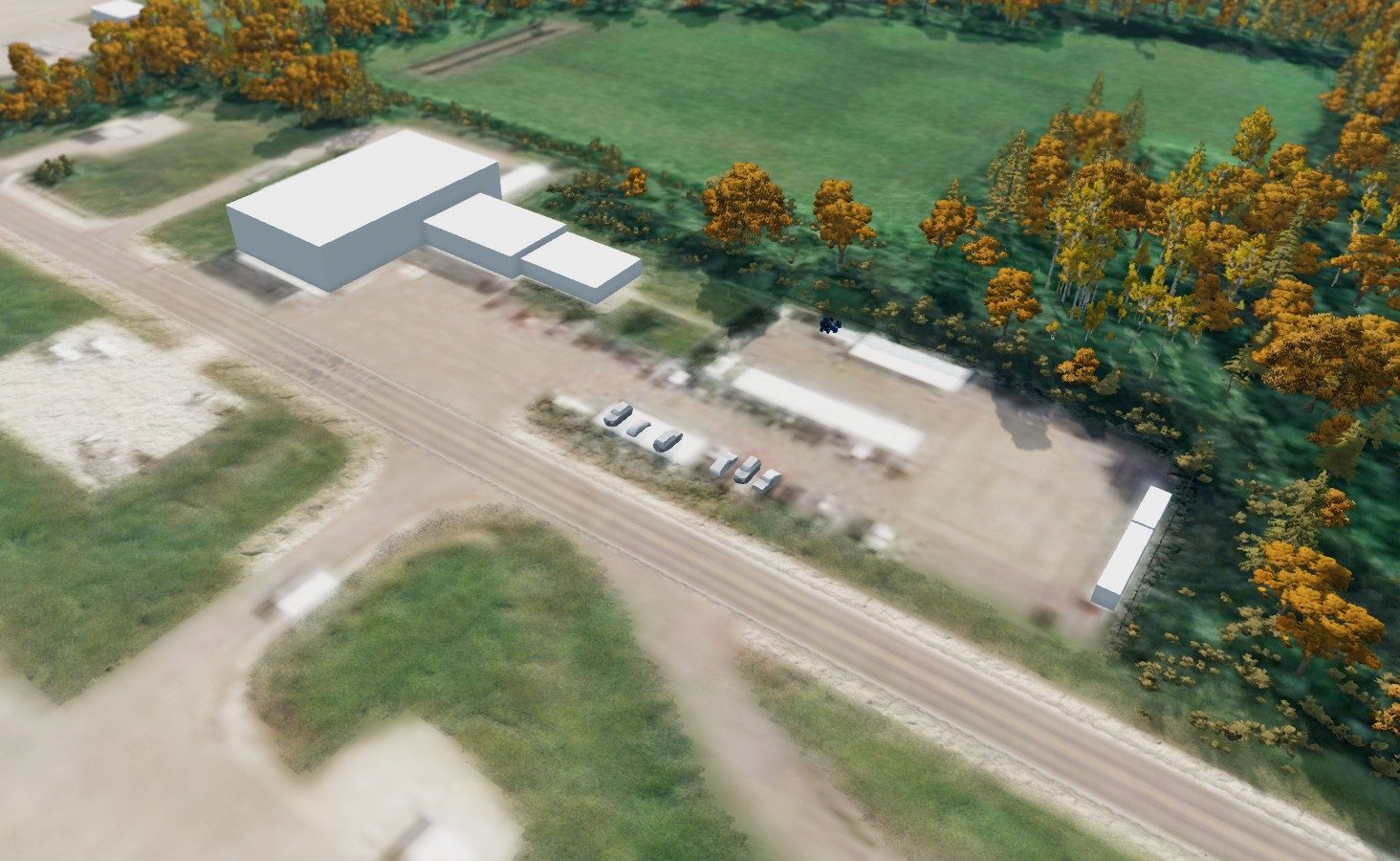
Created objects for the grass terrain to give it 3D properties. Added forest and shrubs, plus placeholder buildings, parked vehicles and a bus stop.
5
Roads and decals
Road and surface decals are added for visual clarity. Finishing the road work and learning to control friction by road surface.
Progress showcase: early process
In process of terrain painting, adding trees. No other models, roads or decals yet.
Terrain 1.Terrain 2.
Still to add
Video to add: early driving after terrain smoothing and new terrain typesImage to add: after the 0.39 update broke the grass and forest, then the fixes
Chapter 6
Spawn points
Spawn points let anyone start the track close to what they want to test.
Requirements
Parking lot 102, where the track starts.
Parking lot 103, to add if the map is shared internally with that team.
The 20/30 hills, the tallest place in Flat Rock.
The new ESP area, where most testing happens, for a one-to-one match.
VDA, which stays the default while the track is in progress.
How they are added
Add each as a new object in the level.
Edit the info.json file to add spawn points, referenced pictures and map details.
Use in-game screenshots as the spawn loading images.
All spawn points are in the game for now.
Spawn view 1.Spawn view 2.
Chapter 7
Missions
Missions are the way to introduce the simulator at work. Two types are planned, both for driver training.
Introduction drive
Drive around all of Flat Rock.
Gets people used to BeamNG.
Shows areas people do not normally go to, including a hill jump.
ESP disconnected
Control the vehicle when the ESP is disconnected during a split-friction stop.
Replicates part of level 2 training, where quite a few people had a hard time saving the vehicle.
I'm an engineer who likes working on physical products and the systems around them: mechanisms, vehicle systems, and the testing that shows whether a design holds up.
My current projects include a slide-out phone built on a donor Razr, a driving simulation environment built to support driver-in-the-loop testing, and an autonomous plant wall. I use CAD for design work and I'm learning game-engine tools to build realistic test environments.
CAD
Mechanism design
Simulation
Systems integration
Photo to add: portraitPhoto to add: workspacePhoto to add: project in progressPhoto to add: testing or on site